
For buyers & sellers · Disputes
Disputes & arbitration
When can you raise a dispute?
You can raise a dispute any time a milestone or product delivery is in the Awaiting confirmation window — the 24-hour period after the seller marks work delivered. Once you confirm a delivery, funds release and cannot be reversed, so dispute before confirming if something isn't right.
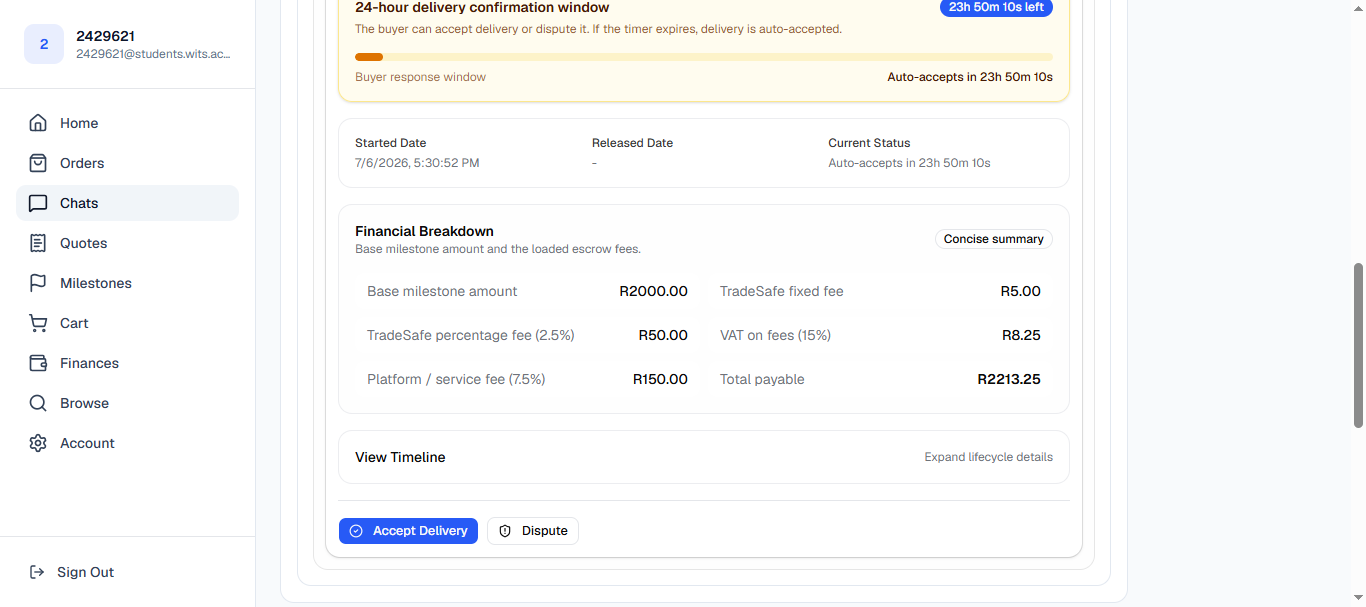
The Dispute button is available during the 24-hour review window. Raise a dispute (buyer)
Tap Dispute and describe what the issue is — be specific about what was promised versus what was delivered. Your message is sent to the seller and the milestone moves into Disputed status. Funds remain in escrow while the dispute is open.
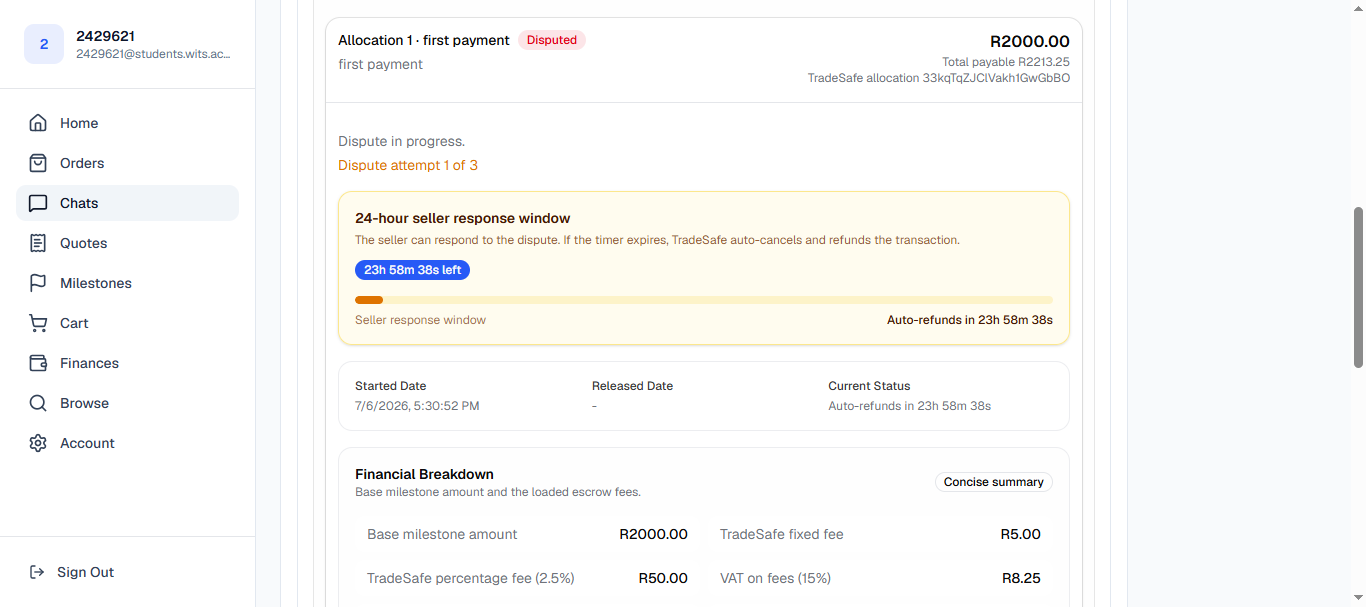
A milestone in Disputed status from the buyer's view. The seller receives an email notification immediately and has 24 hours to respond. Funds stay frozen in escrow — neither side can release or cancel them while the dispute is open. Each dispute you raise counts toward a running total for this order or milestone: on the third dispute, the case moves straight into Survex's internal review (see step 4), no matter what the seller does next.Respond to the dispute (seller)
As a seller, you'll receive an email when a dispute is raised and have 24 hours to act. You can:
- Acknowledge and redo the work — the order/milestone goes back to in-progress, and once you re-mark it delivered the buyer reviews it again.
- Refund the buyer — this cancels the transaction and returns the full amount from escrow.
- Escalate straight to Survex — if you and the buyer are at an impasse, either of you can skip ahead to internal review without waiting for a third dispute.
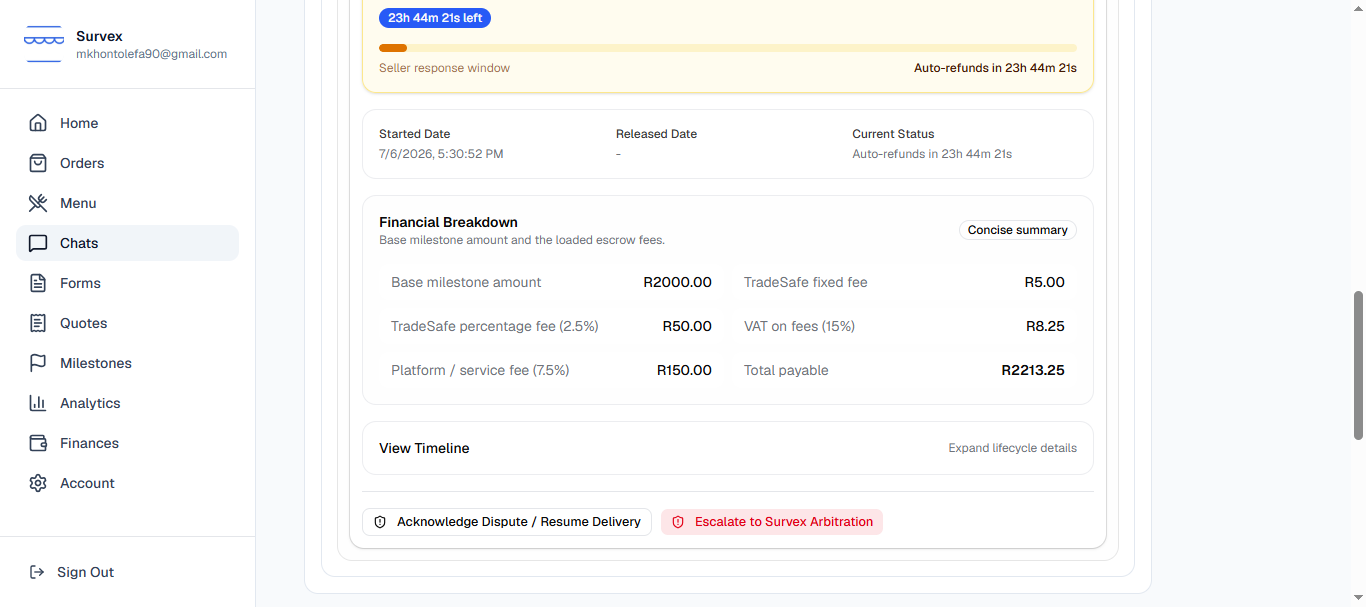
The disputed milestone from the seller's dashboard. If you don't respond within 24 hours, the system automatically cancels the transaction and refunds the buyer in full — there is no admin step in between. Ignoring a dispute is the worst outcome for a seller.Resolve directly — or move to internal review
If the seller redoes the work, the buyer reviews it again and can accept (releasing funds normally) or dispute once more. Two things can end this back-and-forth and move the case into Survex's internal review, before TradeSafe is ever involved:
- The same order/milestone reaches its third dispute.
- Either the buyer or seller chooses to escalate directly during an open dispute.
Either way, funds freeze in escrow and the case opens for Survex review — this is handled entirely by the Survex team first, and does not hand anything to TradeSafe at this point.
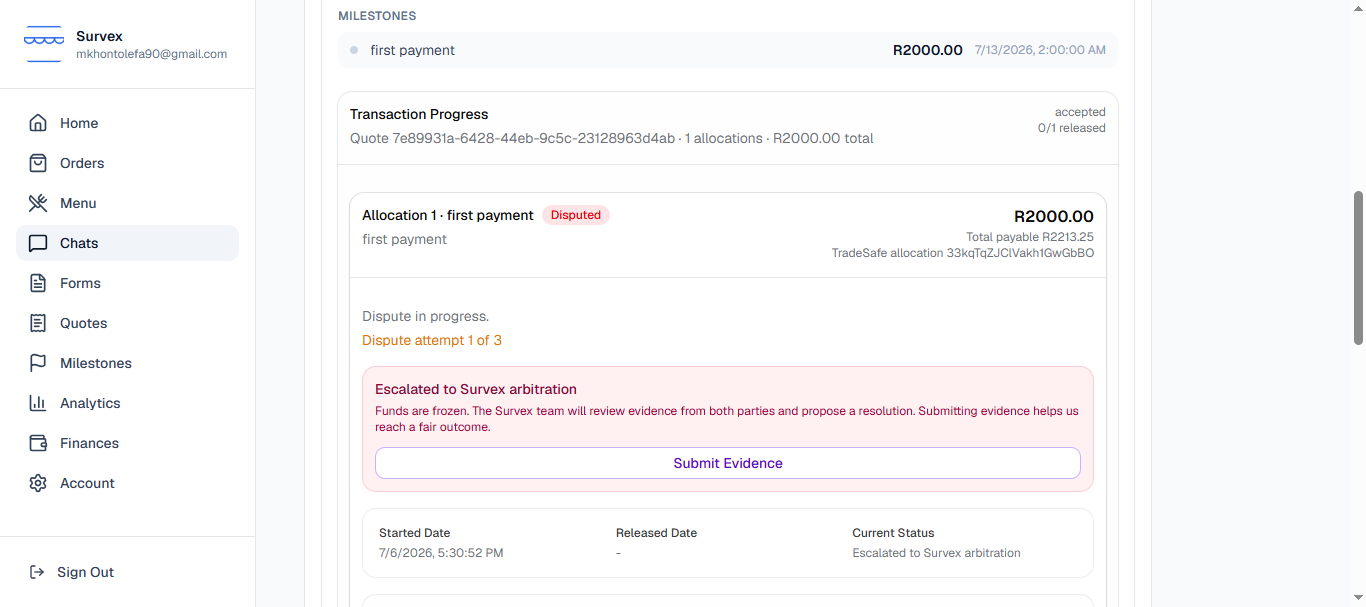
Funds frozen pending Survex's internal review after the third dispute. Internal review — submitting evidence
Once a case is frozen for internal review, both parties are invited to submit evidence — screenshots, files, chat transcripts, or any documentation that shows what was agreed and what was delivered. There's no fixed submission deadline; submit as soon as you can, since the Survex team reviews and proposes a resolution once it has enough information from both sides.
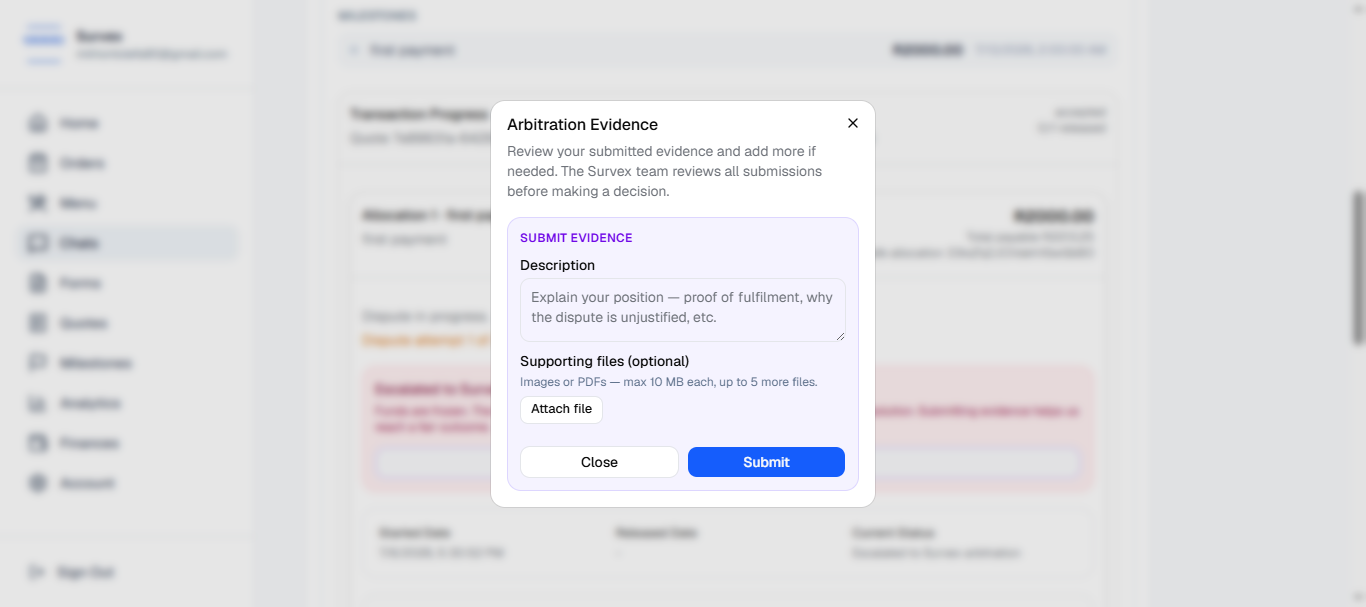
The evidence submission panel — the same layout is shown to both buyer and seller. After reviewing, Survex proposes a resolution — a full refund to the buyer or a full release to the seller — and asks both parties to consent. You'll have 24 hours to consent or reject.Resolution — internal decision or TradeSafe escalation
What happens next depends on how both parties respond to Survex's proposed resolution:
- Both parties consent — the proposed outcome is executed immediately: funds are either released to the seller or refunded to the buyer in full.
- Either party rejects — the case is handed to TradeSafe's own arbitration team, whose decision is final and outside Survex's control.
Both parties are notified by email and the outcome is logged on the order.
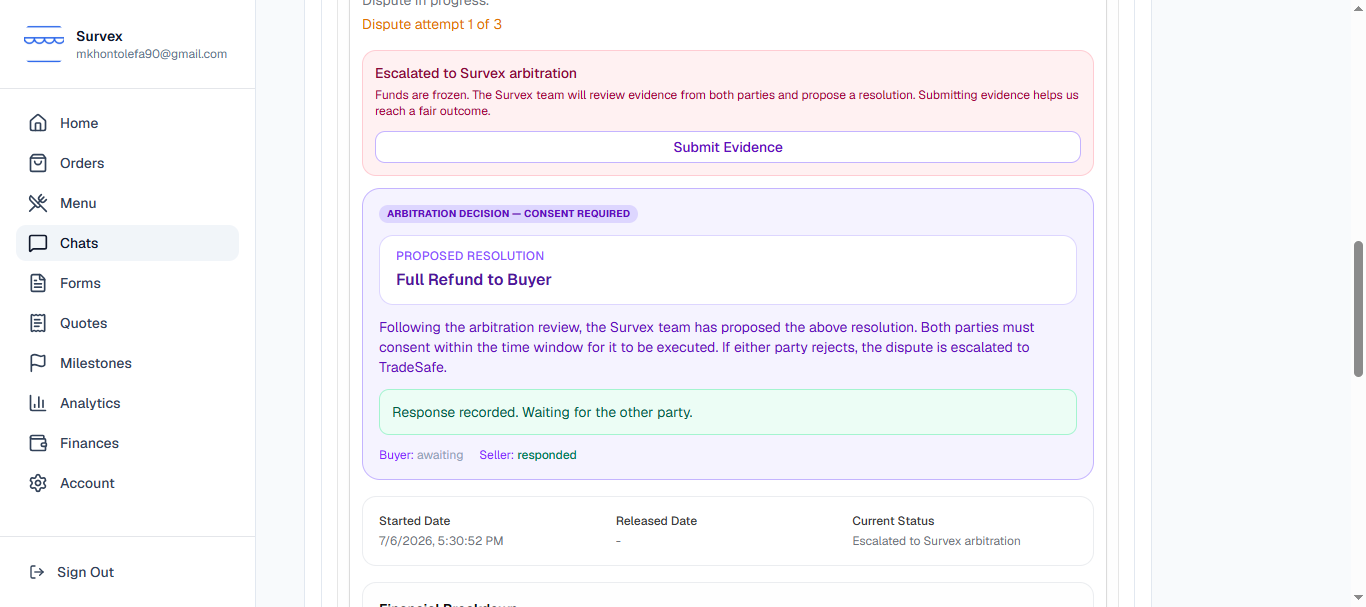
A completed dispute showing the decision on the order. Decisions reached this way are final. If you believe there has been an error, contact Survex support with new evidence — routine appeals without new evidence are not accepted.Avoiding disputes in the first place
Most disputes come from scope misalignment. A few habits that dramatically reduce them:
- Sellers: be specific in quotes — name exactly what each milestone delivers and what's excluded.
- Buyers: read the quote before accepting and ask questions in chat if anything is unclear.
- Both: use chat to confirm changes to scope rather than agreeing verbally — the chat record is part of the dispute evidence.