
For buyers · Products
Buying a product
Browse and add to cart
Find a listing in Browse and tap Add to cart. If the product has options — size, colour, or other variations — select them first. You can add items from the same business in one go; all items in your cart must come from a single seller to check out.
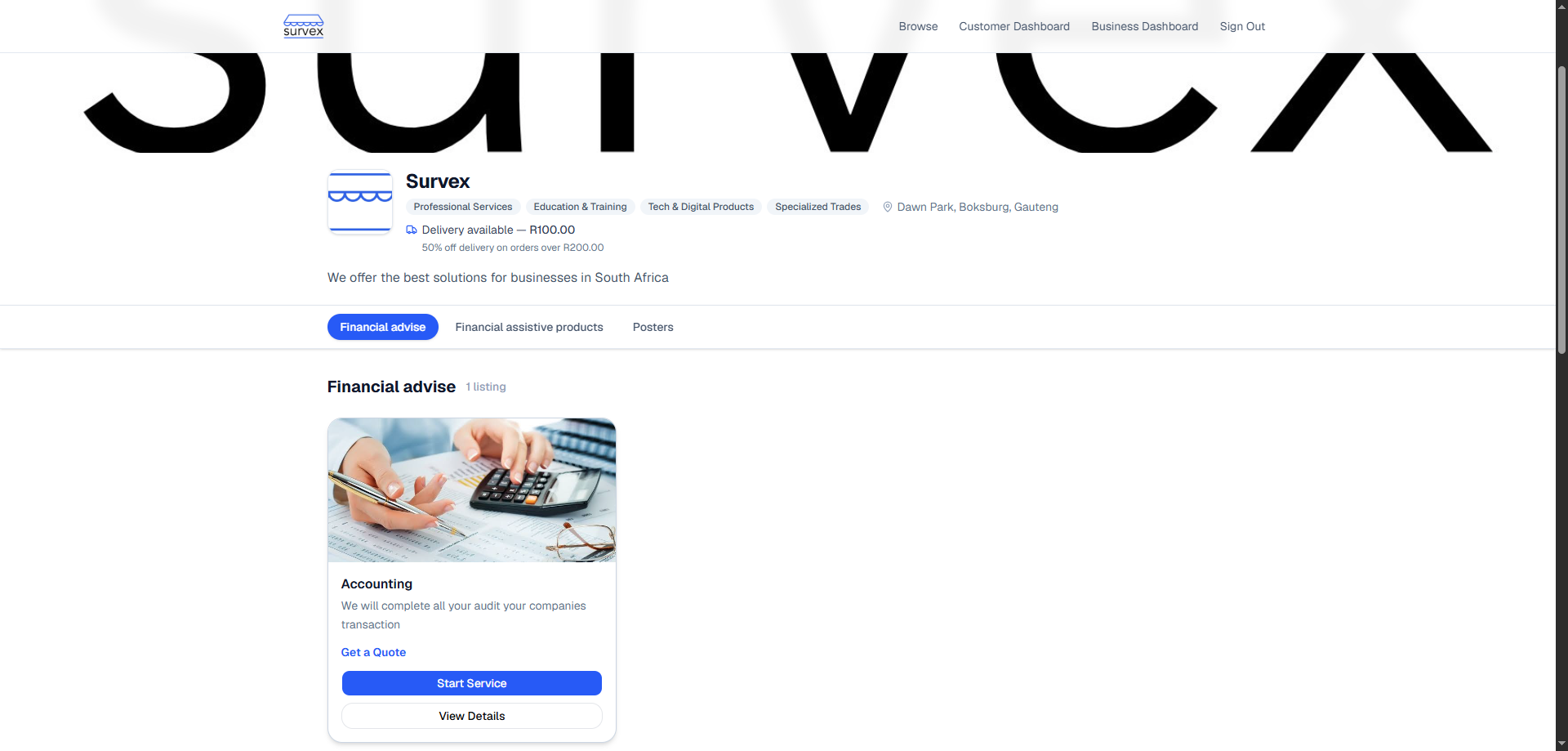
A product listing with customisation options. 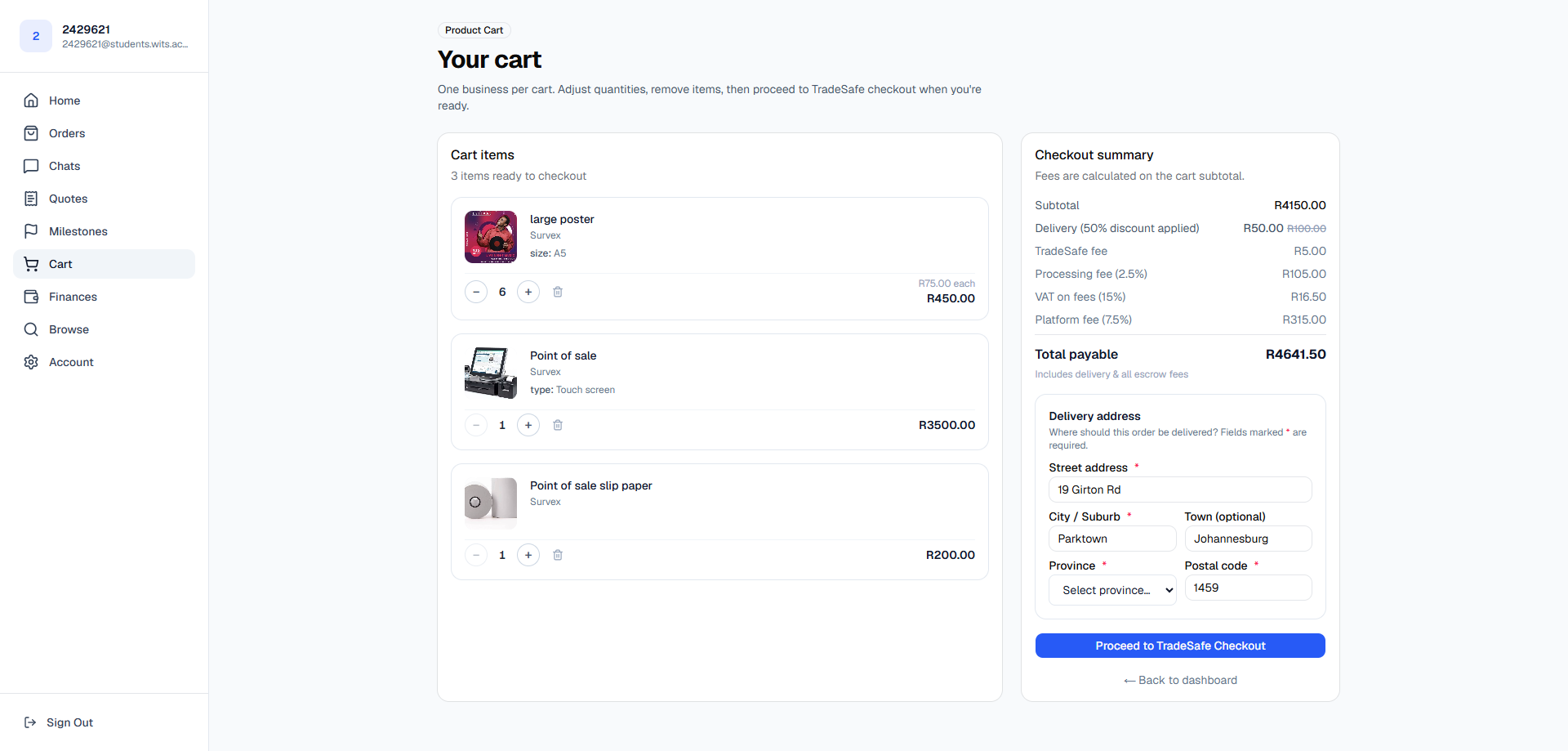
The cart with items ready to check out. Confirm your delivery address and check out
Tap Checkout. Confirm your delivery address — this is where your order will be sent. Review the order summary including any delivery fee, then proceed to payment.
The checkout screen showing order total and delivery address. Prices are verified at checkout against the current listing price, not the price when you added items to the cart. If a seller changes a price between those two moments, the total updates automatically.Pay securely through TradeSafe
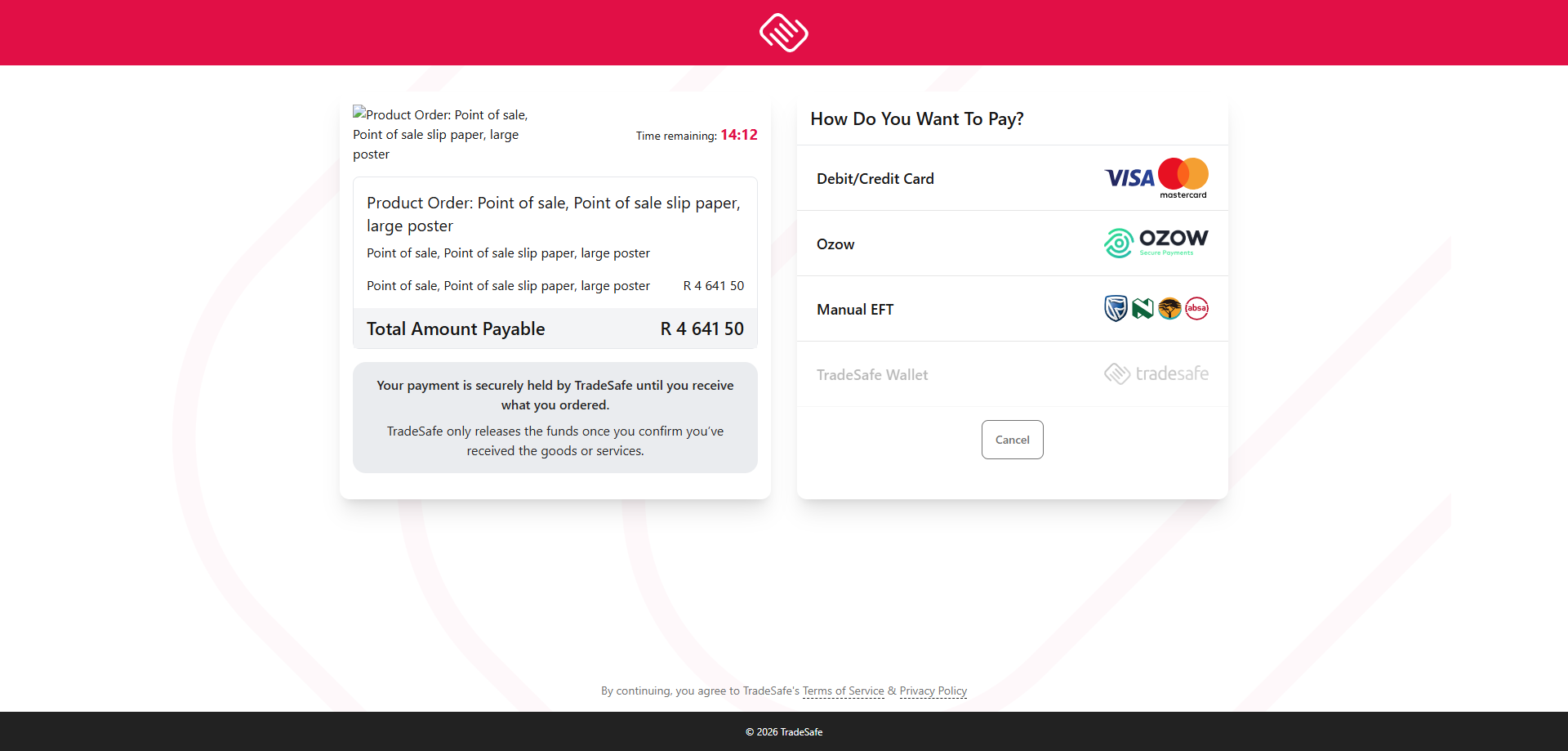
You'll be redirected to TradeSafe's secure payment page to complete the transaction. TradeSafe is a licensed South African escrow provider — your money is held there, not sent directly to the seller.
The TradeSafe payment page is hosted externally and is not captured in this guide, but it is a standard card or EFT payment screen. Once payment clears you are returned to Survex automatically.Payment confirmed — order is placed
Once payment clears you'll receive an order receipt by email and the order appears under Orders. The seller is notified immediately to prepare your items.
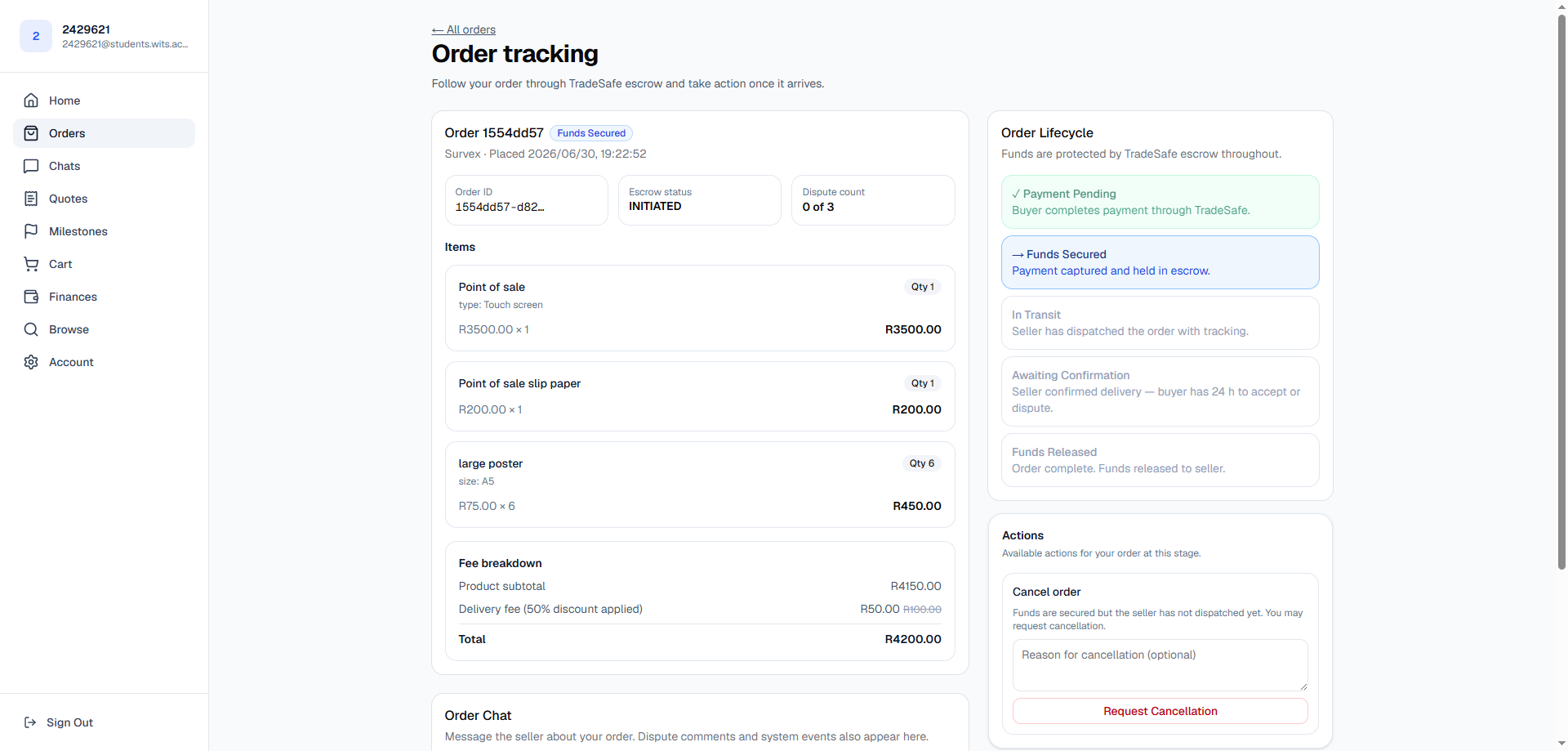
An order confirmed and awaiting dispatch. Track your delivery
When the seller dispatches your order they add tracking information. You'll get an email with the courier name, tracking number, and a link to follow your parcel. The order status updates to In transit.
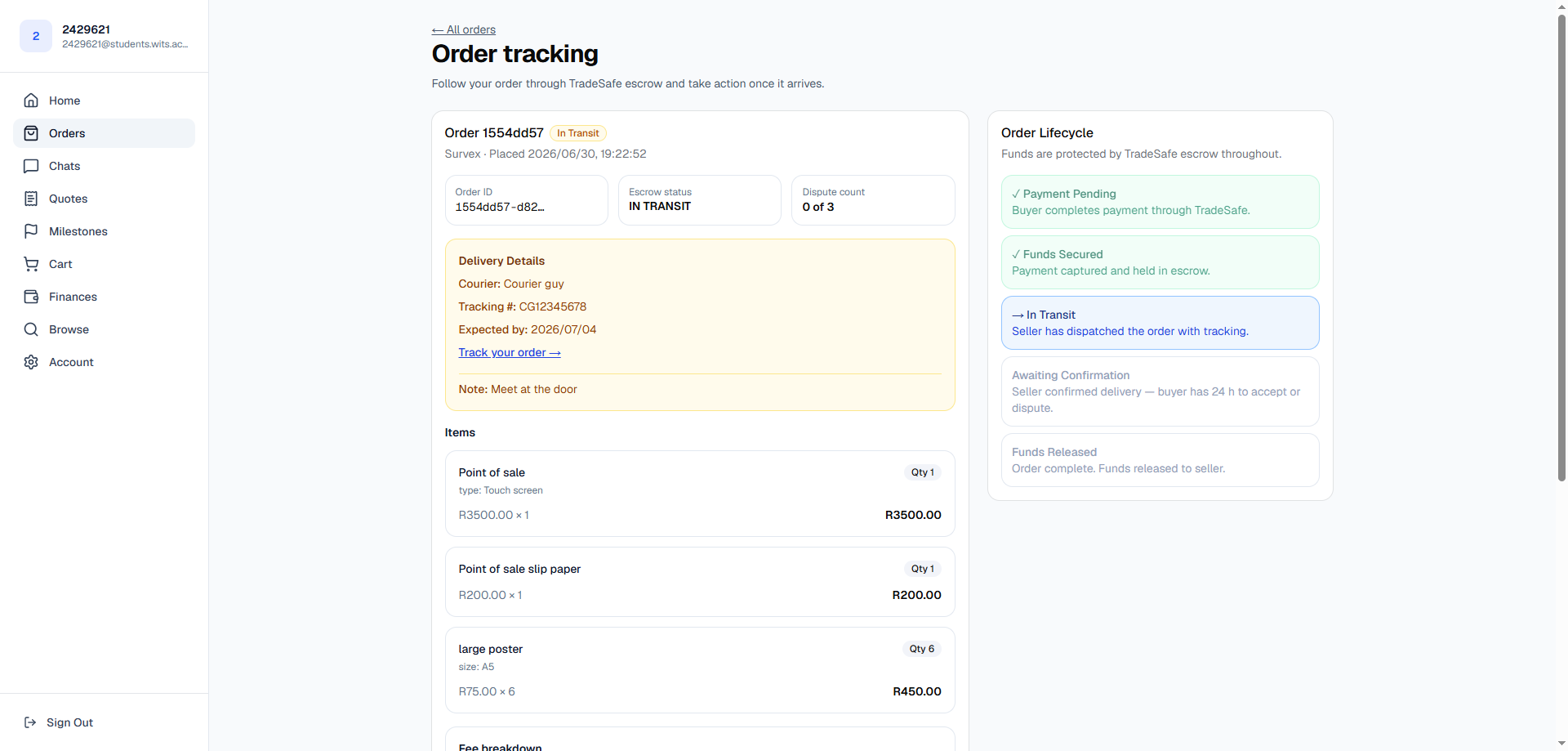
An order in transit with tracking details visible. Confirm delivery to release payment
When your order arrives, open it under Orders and tap Confirm delivery. This releases the escrowed funds to the seller. You have 24 hours from when the seller marks it delivered to confirm or raise a concern — if you do nothing, it confirms automatically.
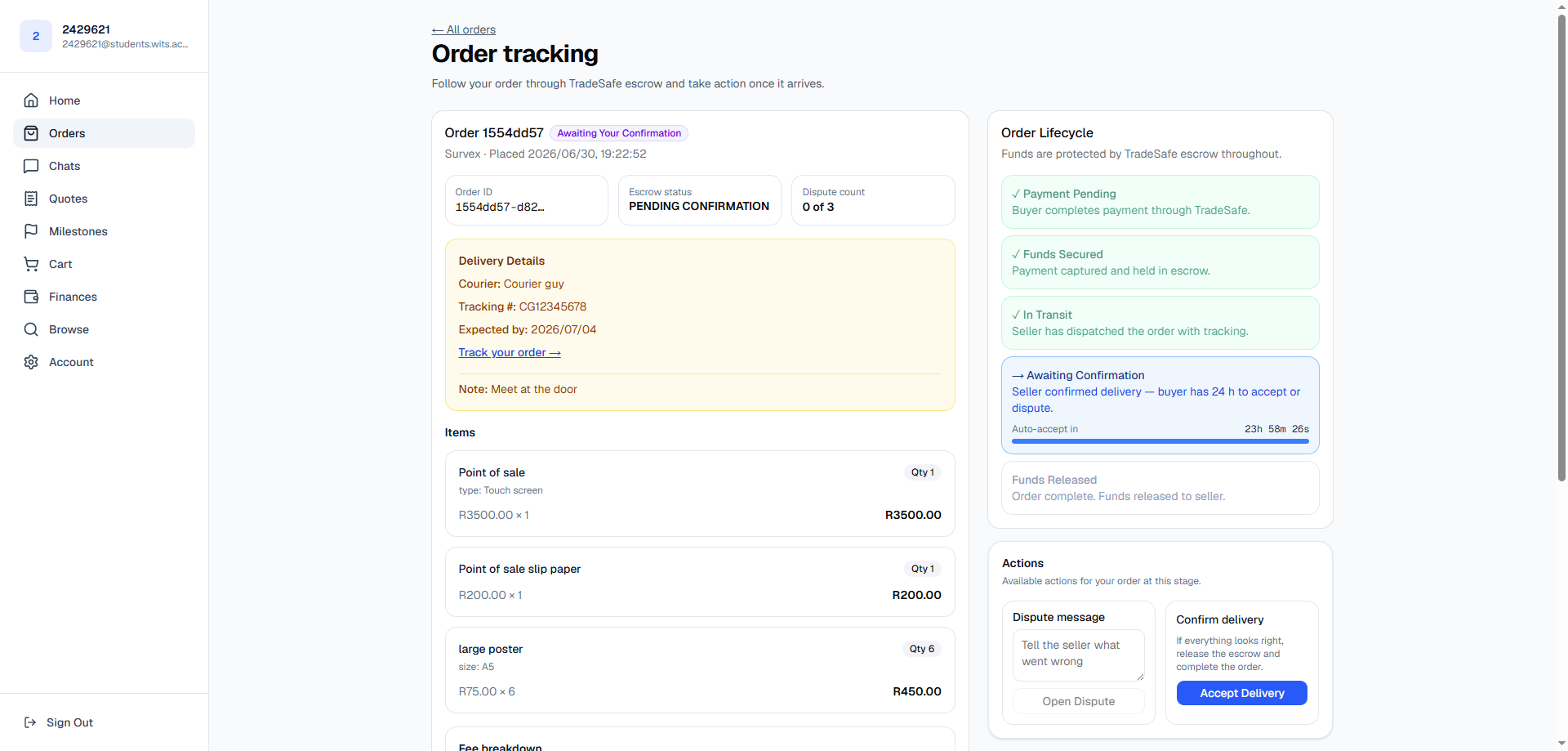
The 24-hour review window — confirm or dispute the delivery. Something wrong with the order? Tap Dispute instead. This pauses the release and gives the seller a chance to resolve it. See the disputes & arbitration guide for what happens next.Order complete
Once confirmed, the order status moves to Complete and the seller receives their funds. You can leave a review for the seller from the completed order view.
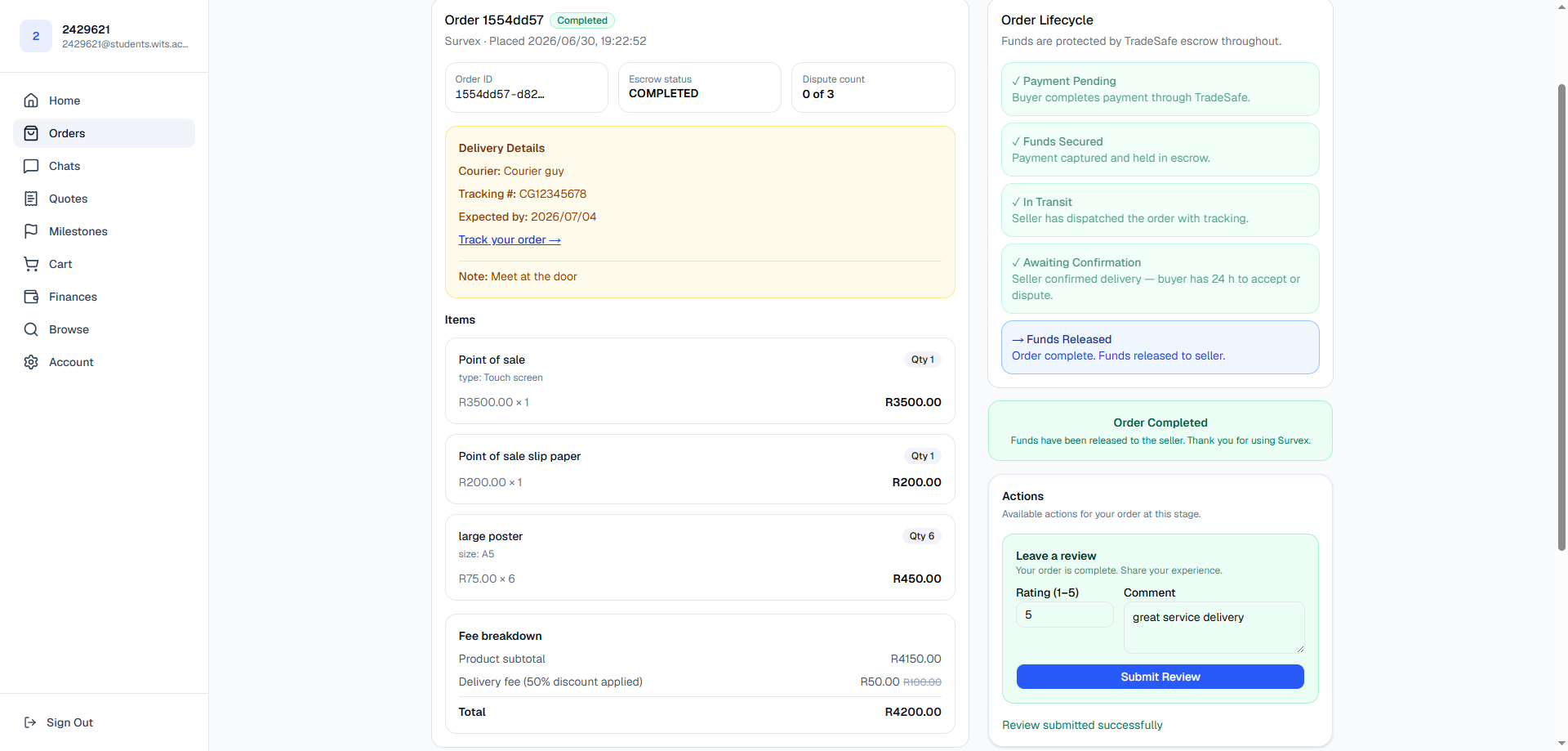
A completed order with the option to leave a review. 
Your payment history under Finances.